
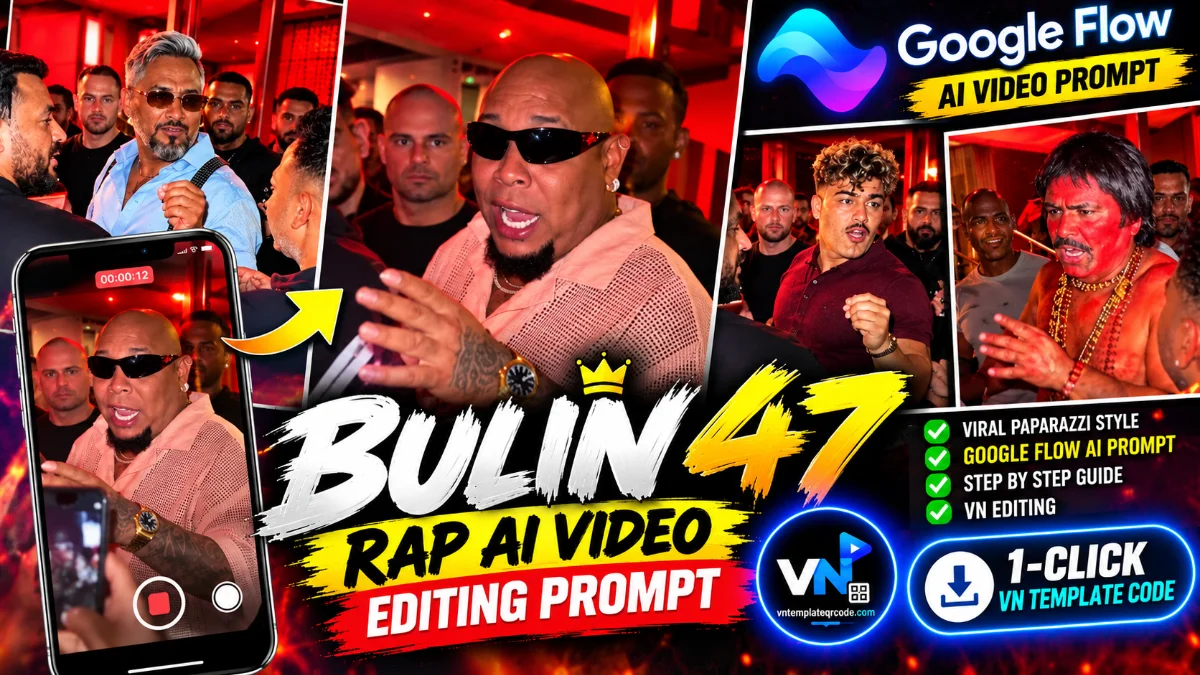
If you have opened Instagram Reels, TikTok, or YouTube Shorts over the past week, you have definitely seen the wild, high-energy Bulin 47 Rap AI trend blowing up your explore feed. The concept is pure internet gold: an unexpected or eccentric character—whether it is a cinematic sadhu covered in vermilion, a retro celebrity, or a meme icon—exits a high-end luxury nightclub surrounded by swarms of paparazzi, bodyguards, and blinding strobe flashes while an aggressive, fast-paced rap beat drops in the background. It feels like an authentic, high-budget celebrity fan-cam, and creators are clocking millions of views within hours of posting.
Most tutorials online give broken, half-baked prompts that result in distorted faces, melting fingers, or weird robotic motion. More importantly, none of them explain how to properly bring that raw AI footage into VN Video Editor to sync it with the trending beat drop. On vntemplateqrcode.com, we have cracked the entire formula. Below is the fully tested, photorealistic prompt alongside the exact timeline setup to turn your raw AI generation into a viral, zero-blur reel.
Quick Trend Overview & Technical Specs
| Feature | Specification |
|---|---|
| Compatible AI Tools | Luma Dream Machine, Kling AI, Runway Gen-3, Google Flow |
| Post-Editing App | VN Video Editor (Android, iOS & PC) |
| Aspect Ratio | 9:16 (Vertical Fullscreen for Reels & Shorts) |
| Audio Source | Bulin 47 Trending Freestyle Rap Track |
| Visual Theme | Nightclub Exit, Aggressive Paparazzi Flash, Cinematic Fan-Cam |
| Recommended Frame Rate | 60 FPS for buttery smooth camera shake |
| Workflow License | 100% Free on vntemplateqrcode.com |
Why The Bulin 47 Rap Trend Goes Viral Instantly
Short-form algorithms thrive on sudden contrast, high-velocity movement, and curiosity. Here is why this specific vn templates workflow keeps viewers glued from second one:
- The High-Contrast Character Hook: Putting traditional, mythological, or unexpected figures into modern ultra-luxury club settings creates instant cognitive dissonance. The brain demands an explanation, which stops the user's thumb dead in its tracks.
- The Realistic Paparazzi Atmosphere: The chaos of flashing camera strobes, eager fans thrusting smartphones into the frame, and bodyguards pushing back crowds gives the clip an authentic, raw red-carpet feel that looks like genuine leaked footage.
- Aggressive Beat Drop Impact: When the rapid Bulin 47 rap vocals collide with sudden camera zooms and strobe flashes, the video delivers a dopamine-heavy sensory rush that makes users replay the clip multiple times.
- Flawless Export Quality: When you pair the generated AI clip with a verified vn template structure from vntemplateqrcode.com, you avoid common mobile compression issues and retain maximum crispness on Instagram.
Master Copy-Paste AI Prompt for Bulin 47 Rap Video
Copy the verified master prompt below and paste it into your favorite video generator (Google Flow, Higgsfield):
● PROMPTVideo-to-video character replacement. Keep @Video 1 exactly the same: same handheld iPhone camera movement and shake, same framing, timing, red backstage lighting, background, crowd, bodyguards, and the fan in the foreground holding the phone and the big DSLR lens. Do not change anyone else. Replace only the main man in the center (the one who walks in, talks to the fan and laughs) with the person from @Image 1. Use the exact face, hairstyle, skin tone, body shape and outfit from @Image 1. Do not keep the original man’s clothes, body size or appearance. Keep all of his acting and timing exactly the same: he walks in through the people, stops in front of the fan and talks very animatedly and playfully. He makes a pinched-finger gesture near his mouth, waves an open palm while telling a story, points at the fan’s phone, leans down to look at the screen and then laughs hard, covering his forehead with his hand. Same head movements, same lip movement, same expressions. Photorealistic, the identity from @Image 1 stays consistent in every frame, natural skin that matches the red ambient light, no face morphing, no flicker, no extra people, real iPhone fan-cam look, 9:16 vertical.Copy- Prompt 2 Option
● PROMPTUse the uploaded reference video, specifically its first 10 seconds, as the exact reference for motion, choreography, timing, composition, camera movement, framing, and scene layout MAIN CHARACTER: Replace ONLY the single central main character with Character Reference 1. Preserve the exact facial identity, facial features, hairstyle, skin tone, body proportions, clothing, and overall appearance. Keep the central character clearly distinguishable and identity-locked throughout these 10 seconds. SURROUNDING CHARACTERS: Replace ALL surrounding/background people with Character Reference 2. Preserve their clothing, headwear, masks, colors, body proportions, and overall appearance. Do not apply Reference 2 to the main character or Reference 1 to background characters. MOTION & CHOREOGRAPHY: Reproduce the exact original actions, body movements, poses, choreography, movement direction, rhythm, pacing, timing, synchronization, and deep-bowing actions. Do not invent any new gestures, interactions, or movements. CROWD & SCENE: Preserve the exact number, placement, spacing, formation, depth, relative positions, spatial arrangement, foreground/background relationship, and scene geometry. Do not add, remove, duplicate, merge, or randomly move people. CAMERA: Keep the exact original camera angle, camera position, movement, focal length, perspective, depth of field, framing, composition, shot scale, and duration. No new zoom, crop, rotation, tilt, or camera movement. QUALITY: Maintain photorealistic anatomy, lighting, shadows, textures, and strong frame-to-frame consistency. No flickering, face changes, clothing changes, disappearing characters, duplicates, warped limbs, or body distortions.
How to Generate and Edit the Video Step-by-Step
- Open your preferred AI video generation tool (such as Google Flow, Higgsfield).
- Paste the master prompt provided above into the prompt box. If you want a specific face or character, upload a clear reference portrait first and set image fidelity to high.
- Generate a 5-second to 10-second vertical 9:16 clip and download the high-resolution file to your smartphone gallery.
- Open the official VN Video Editor app and import the trending Bulin 47 rap audio track onto track 1.
- Add your generated AI clip to the timeline. Trim the beginning so the most aggressive hand movement or camera flash aligns precisely with the vocal beat drop.
- Apply a subtle Zoom Blur or Flash transition at the drop moment to heighten the red-carpet paparazzi intensity.
Pro Creator Settings: Avoid Instagram Blur & Color Grade
AI-generated clips often carry fine grain and light artifacts that turn into a mushy blur once Meta's compression algorithms process them. Follow these tested settings inside VN before tapping export:
- Optimal Export Settings:
- Resolution: 1080p (Never upload at 4K for Reels; Instagram brutally crushes 4K bitrate, causing heavy macroblocking).
- Frame Rate: 60 FPS (Keeps camera jitter, flashing paparazzi strobes, and rapid pans completely smooth).
- Bitrate: Set manually between 26 Mbps and 30 Mbps (VBR). This is the exact sweet spot for high-bitrate video ingest on Instagram and TikTok.
- Quick Nightclub Color Grade Tweak: AI footage can occasionally feel slightly flat. Dial in these quick sliders inside VN's adjustments:
- Contrast: +12 (Separates the glowing red club lights from the dark night backdrop).
- Highlights: -10 (Prevents flashing paparazzi camera bulbs from blowing out into pure white pixels).
- Sharpen: +14 (Enhances individual jewelry beads, facial expressions, and camera lens details).
- Vignette: +8 (Keeps the viewer's eyes focused dead center on the main personality).
Troubleshooting & Common Fixes
"AI Character Looks Distorted or Robotic": If your AI generator produces awkward facial contortions, lower the motion strength slider down to 4 or 5 instead of maxing it out. Providing a clean, front-facing reference photo before generating yields significantly tighter facial consistency.
"Paparazzi Strobes Causing Heavy Video Lag": Intense flashing effects can occasionally stutter during mobile timeline preview in VN. Simply tap 'Render Preview' or export a quick test file at 720p first to confirm the audio sync before doing your final master 1080p export.
Conclusion
The Bulin 47 rap trend is one of those rare internet moments where absurd humor meets cutting-edge generative AI, and early creators are reaping the algorithmic rewards. Instead of spending hours trying to figure out prompt syntax from scratch, copy our verified formula, load it into VN Video Editor with our tested export settings, and publish your reel while the sound is still peaking. Check back on vntemplateqrcode.com daily for the latest trending vn template qr codes and viral creator breakdowns!