If you have opened Instagram Reels anywhere during this Navratri festive season, you know this infectious folk rhythm that is dominating everyone's audio feed. Set to the trending celebratory track "Tu Mera Bhavara Tu Meri Pankhudi", the viral "Garba Raat" reel edit has become the ultimate anthem for dancers, college crews, and garba enthusiasts. With glowing fairy lights strung across open grounds, colorful twirling lehengas, energetic dandiya strikes, and elegant Hindi typography floating in the frame, this edit captures the pure electric euphoria of festival nights. It is uplifting, vibrant, and effortlessly aesthetic, which is why festive reels using this format are clocking millions of views and massive share counts right now.
While the final 15-second reel looks effortless on screen, building it by hand inside a mobile editor is an exhausting chore. You have to manually slice between 12 and 16 fast-paced clips, align multi-window split screens (from 2-frame vertical splits to 4-way dance grids), lock beat drop markers to rhythmic dhol claps, and calculate speed curves so every lehenga spin looks buttery smooth. That is why downloading our verified vn template on vntemplateqrcode.com is a complete lifesaver. Using our curated vn template qr codes, the complete timeline structure, aesthetic fonts, and velocity ramping are pre-configured. All you need to do is scan the code, drop in your best dandiya night footage, and export a polished, viral-ready video in under two minutes.
Quick Template Overview
| Feature | Specification |
|---|---|
| Compatible App | VN Video Editor (Android, iOS & PC) |
| Aspect Ratio | 9:16 (Fullscreen Vertical for Reels, Shorts & TikTok) |
| Clips / Photos Required | 12 to 16 High-Energy Garba & Dandiya Clips |
| Audio Sync | Pre-locked to "Tu Mera Bhavara / Garba Raat" Folk Beat |
| Visual FX Included | 2-Split Vertical Screen, 4-Way Grid, Aesthetic Typography & Speed Curves |
| Recommended Filter | Warm Festival Glow / Golden Night LUT |
| License & Access | 100% Free on vntemplateqrcode.com |
Why This VN Template Goes Viral Instantly
Every viral edit has a rhythm that tricks the brain into watching repeatedly. Here is why this specific vn templates project performs so exceptionally well on social media algorithms:
- The Festive Typography Hook: The video highlights a warm, golden Hindi text overlay reading "गरबा रात" paired with delicate glowing star particles. This immediately communicates the cultural celebration vibe, stopping viewers who are actively looking for festive inspiration.
- Dynamic Multi-Frame Split Screens: Instead of relying on repetitive single-camera shots, this edit alternates between dual split-screens and 4-way visual grids. This allows you to show parallel dance moves, couple dandiya coordination, and wide lawn crowd scenes all within the same beat.
- Choreographed Beat Drop Sync: Every single cut is locked down to the millisecond of the vocal rhythm and clapping beats. When the singer lands on the chorus hook, the edit delivers an instant dopamine rush through rapid-fire visual switches.
- Zero App Watermark: When you import your project from vntemplateqrcode.com, your exported file remains completely free of annoying logos, trial watermarks, or cut-off promotional bumpers.
The Secret Behind Smooth Velocity & Speed Ramping
The biggest giveaway of an amateur dance reel is static, robotic pacing. In real garba, dancers constantly build momentum, pause gracefully at the turn, and spin out with high energy. To replicate that natural body language, this vn template code utilizes a custom Bezier Velocity Curve (Snap-Slow-Snap).
As the dancer prepares to twirl, the footage speeds up slightly to 1.8x, then decelerates smoothly down to 0.4x slow motion right as the flared skirt reaches its widest arc or when the dandiya sticks make contact. It immediately snaps back to 2.5x speed to match the next clap. This subtle speed ramping holds audience attention across the entire duration of the reel, dramatically improving completion rate—which is the single most important metric Instagram uses to push content to the Explore page.
Get Your Free VN Template QR Code
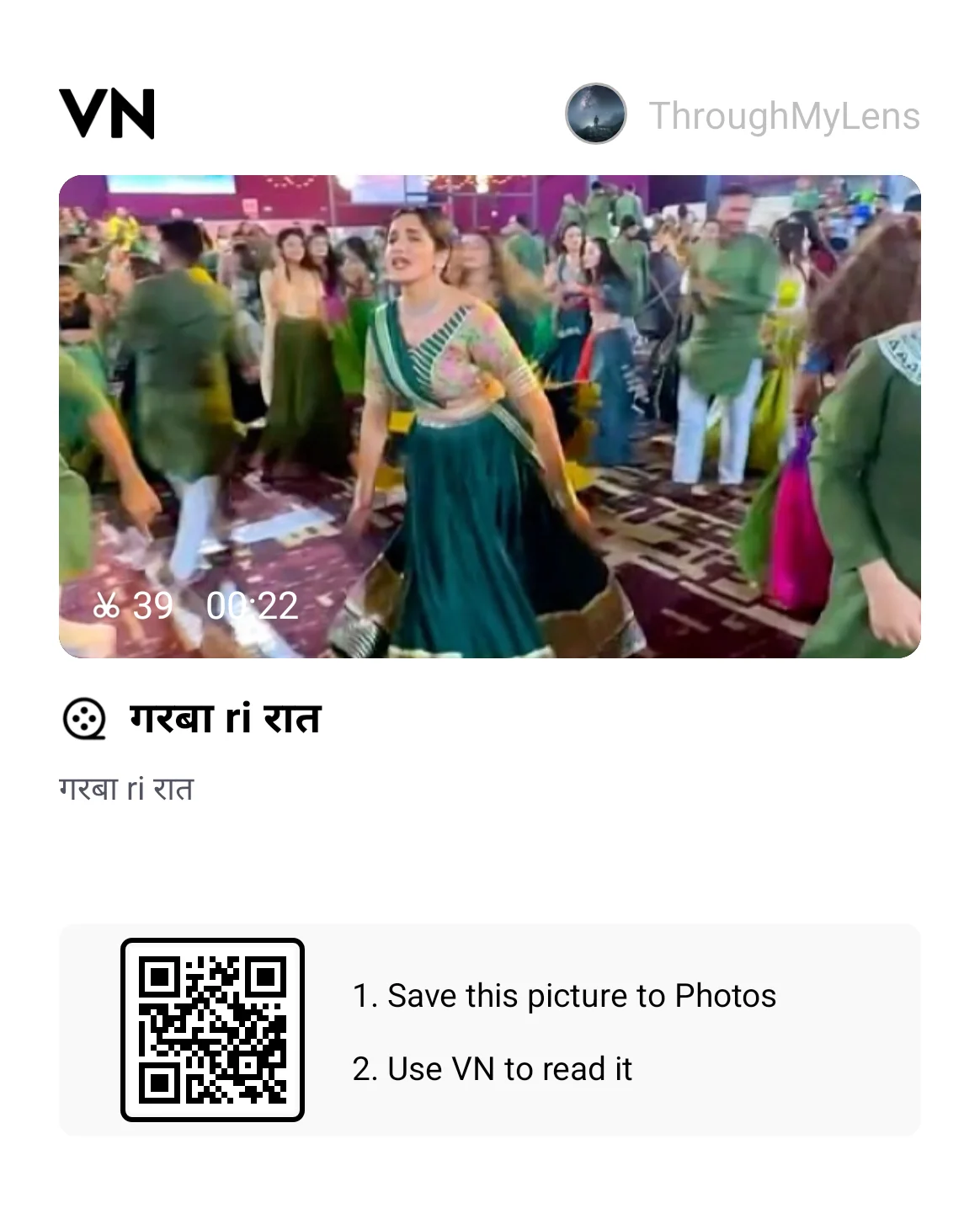
Scan the verified interactive QR code below directly inside the VN Video Editor app to load the complete project timeline:
Featured VN Template Preset #1
How to Scan & Use This Template in VN Video Editor
- Save the verified QR code image above from vntemplateqrcode.com to your smartphone's gallery.
- Open the official VN Video Editor app on your device.
- Tap the Scan icon located in the upper-right corner of the VN home screen.
- Select the gallery icon within the scanner interface and choose the downloaded QR code graphic.
- Tap Download Template. Once assets load, tap Use Template and pick your favorite dandiya night clips in sequential order.
- Preview your reel, ensure key dance moments and faces are centered inside the frame boxes, and export!
Pro Creator Settings: Avoid Instagram Blur & Color Grade
Outdoor festival grounds with harsh floodlights and moving crowds can easily trigger heavy compression artifacts on Instagram, turning your high-definition footage into a blurry, pixelated mess. Here is how to keep your upload razor-sharp:
- The Best Export Settings:
- Resolution: 1080p (Avoid exporting in 4K for Instagram Reels; Meta automatically re-compresses 4K video files, resulting in ugly digital grain and blur).
- Frame Rate: 60 FPS (Essential for keeping rapid spins, flowing lehengas, and fast hand movements buttery smooth).
- Bitrate: Set manually between 25 Mbps and 28 Mbps (VBR). This keeps the file under Instagram's compression ceiling while preserving maximum sharpness.
- Quick Festival Night Color Grading Formula: Floodlights often wash out rich fabric colors. Apply these quick slider tweaks in VN before rendering:
- Contrast: +10 (Separates dancers sharply from the dark evening lawn background).
- Warmth: +8 (Deepens the golden fairy lights, traditional mirror work, and jewelry).
- Saturation: +6 (Makes royal blues, festive greens, and deep reds stand out cleanly).
- Highlights: -12 (Tames harsh overhead spotlights and prevents skin tones from blowing out).
- Sharpen: +15 (Restores micro-details in traditional embroidery and festival decor).
Troubleshooting & Common Fixes
"QR Code Not Scanning or Network Error": If the VN app scanner fails to recognize the code, check that your gallery has not applied an automatic crop or heavy compression. Always download the uncropped file from vntemplateqrcode.com, verify an active internet connection while downloading template assets, and ensure your VN app is running on the latest 2026 build.
"Audio Beat Out of Sync After Importing Clips": If your phone lags while previewing heavy 4K clips, the timeline audio might feel slightly delayed. Simply tap the individual clip slot, trim the initial 0.1 to 0.2 seconds of dead motion before the step starts, or lock the background music track securely onto track 1.
Conclusion
Navratri nights only happen once a year, and your festive memories deserve more than basic, unedited video dumps. By taking advantage of this verified vn template from vntemplateqrcode.com, you get studio-quality multi-split transitions, beat-matched cuts, and cinematic velocity curves in just a couple of taps. Grab the free QR code, drop in your best dandiya swirls, export at crisp 1080p 60fps, and let your festive reel take over the trending charts!