If you have spent any time scrolling through Instagram Reels or YouTube Shorts during festival season, you know that heart-thumping audio trend that everyone is obsessed with. The reel starts on a pitch-black screen with a simple, provocative question: "What makes your Heart beat? 🫀". After a few suspenseful ambient pulses, the track violently drops into an explosion of live dhol drums, spinning garba dancers, glowing diya lights, and breathtaking close-ups of Maa Durga. It gives viewers literal goosebumps, which is why festive edits using this format are hitting millions of views right now.
The problem is that trying to assemble this video by hand will easily eat up three hours of your evening. You have to precisely slice more than a dozen micro-clips, manually time rapid split-screen strips, and sync speed ramps down to the exact millisecond of every drum hit. That is where our verified vn template on vntemplateqrcode.com saves the day. By using these verified vn template qr codes, the entire timeline architecture, velocity curves, and transition flashes are pre-loaded for you. You just scan the code, swap in your favorite festival clips, and export a flawless, viral-ready reel in under two minutes.
Quick Template Overview
| Feature | Specification |
|---|---|
| Compatible App | VN Video Editor (Android, iOS & PC) |
| Aspect Ratio | 9:16 (Vertical Fullscreen for Reels & Shorts) |
| Clips / Photos Required | 10 to 14 Festival, Garba, or Devotional Clips |
| Audio Sync | Heartbeat Ambient Build to High-BPM Festive Dhol Drop |
| Recommended Filter | Warm Amber / Cinematic Festival LUT |
| Visual FX Included | Horizontal Multi-Split Screen, Zoom Flash & Velocity Ramping |
| Price & Access | 100% Free on vntemplateqrcode.com |
Why This VN Template Goes Viral Instantly
High engagement on short-form video is all about psychology and retention. Here is why this specific vn templates edit performs so insanely well on social feeds:
- The Scroll-Stopping Intro Hook: The video leads with minimal text against a dark screen reading "What makes your Heart beat? 🫀". That question triggers instant curiosity, stopping users in their tracks to see what the creator's passion actually is.
- The High-Voltage Beat Drop: The slow, quiet buildup creates massive tension that instantly shatters when the festive beats kick in. The transition from silence to energetic crowd celebrations and divine idol darshan delivers an immediate emotional dopamine hit.
- Cinematic Multi-Window Split Screens: During the mid-tempo rhythm, the screen splits horizontally into multiple stacked strips. This lets you present wide celebration grounds, spinning dancers, and colorful festive attire all in a single frame without clutter.
- Zero Watermark Clean Export: When downloading this project from vntemplateqrcode.com, you get a clean timeline file without intrusive promotional tags or forced outro cards.
The Secret Behind Smooth Velocity & Speed Ramping
Linear video cuts feel stiff and amateur. What makes this vn template code look so remarkably polished is its dynamic Bezier Speed Curve. Instead of playing every dance movement at standard 1.0x speed, each clip utilizes a fast-in, smooth-slow, fast-out curve.
As the dancers spin or the dandiya sticks strike, the video briefly snaps at accelerated speed, decelerates to 0.4x slow motion right at the peak moment of the movement, and then snaps forward to the next clip on the drum strike. This micro-speed ramp gives the video a bouncy, professional rhythm that keeps audience retention locked through all ten seconds, signaling the algorithm to push your reel further.
Get Your Free VN Template QR Code
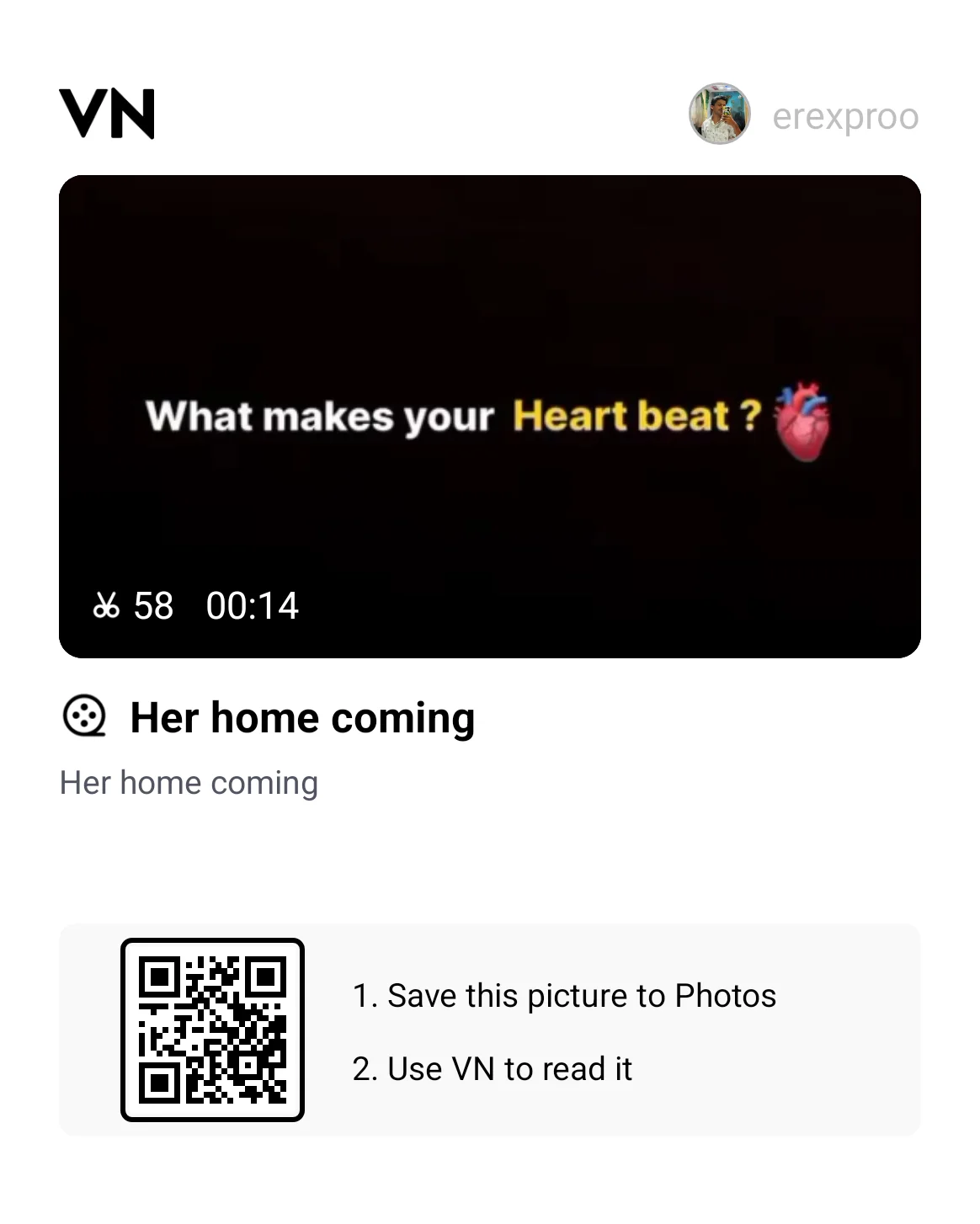
Scan the verified interactive QR code below directly inside the VN application to open the complete project timeline:
[templates:1]How to Scan & Use This Template in VN Video Editor
- Save the verified QR code graphic above from vntemplateqrcode.com directly to your phone's photo gallery.
- Open the official VN Video Editor app on your smartphone.
- Tap the Scan icon located in the upper right corner of the main home screen.
- Select the gallery icon within the scanner interface and choose the saved QR code image.
- Tap Download Template. Once assets are loaded, tap Use Template and pick your celebration clips in sequence.
- Preview your reel, adjust framing if needed, and hit export!
Featured VN Template Preset #1
Pro Creator Settings: Avoid Instagram Blur & Color Grade
There is nothing worse than finishing a cinematic edit only to have Instagram turn it into a pixelated blur. Instagram compresses uploads aggressively when files don't fit its processing criteria. Use these exact settings for a crystal-clear upload:
- The Best Export Settings:
- Resolution: 1080p (Never export at 4K for Instagram Reels; the platform's re-compression engine often crushes 4K files and creates blurry artifacts).
- Frame Rate: 60 FPS (Crucial for keeping fast-moving garba spins and rapid light flashes silky smooth).
- Bitrate: Set manually between 25 Mbps and 28 Mbps (VBR). This provides maximum detail while staying right under Meta's compression threshold.
- Night Festival Color Grading Formula: Ground spotlights and darkness can wash out footage. Open VN's filter adjustment tab and dial in these quick values:
- Contrast: +10 (Deepens night shadows and makes stage lights pop).
- Warmth: +8 (Brings out rich golden hues, brass diyas, and traditional jewelry).
- Highlights: -12 (Controls harsh outdoor flashlights and burning sparklers).
- Vignette: +10 (Subtly darkens edges to focus attention on the subject in the center).
Troubleshooting & Common Fixes
"QR Code Not Scanning or Network Error": If VN cannot parse the QR graphic, verify that the image in your gallery hasn't been auto-cropped or heavily compressed. Make sure you downloaded the complete uncropped image from vntemplateqrcode.com, check that your device has an active internet connection while downloading template assets, and ensure your VN app is updated to the latest 2026 build.
"Audio and Video Out of Sync": If you are importing heavy 4K clips, older phones might experience slight timeline playback lag. If the beat drop feels a fraction of a second off, simply tap the clip slot, trim the first 0.1 to 0.2 seconds of dead space before the movement begins, or lock the music track firmly on track 1.
Conclusion
Festivals bring an electric energy that deserves to be remembered in high definition, and you shouldn't have to spend hours behind an editing screen to get it right. With this ready-to-use vntemplateqrcode preset from vntemplateqrcode.com, all the difficult cutting, speed curves, and beat sync are handled for you. Save the QR code, drop in your best festive moments, export in crisp 1080p 60fps, and let your reel take off!